

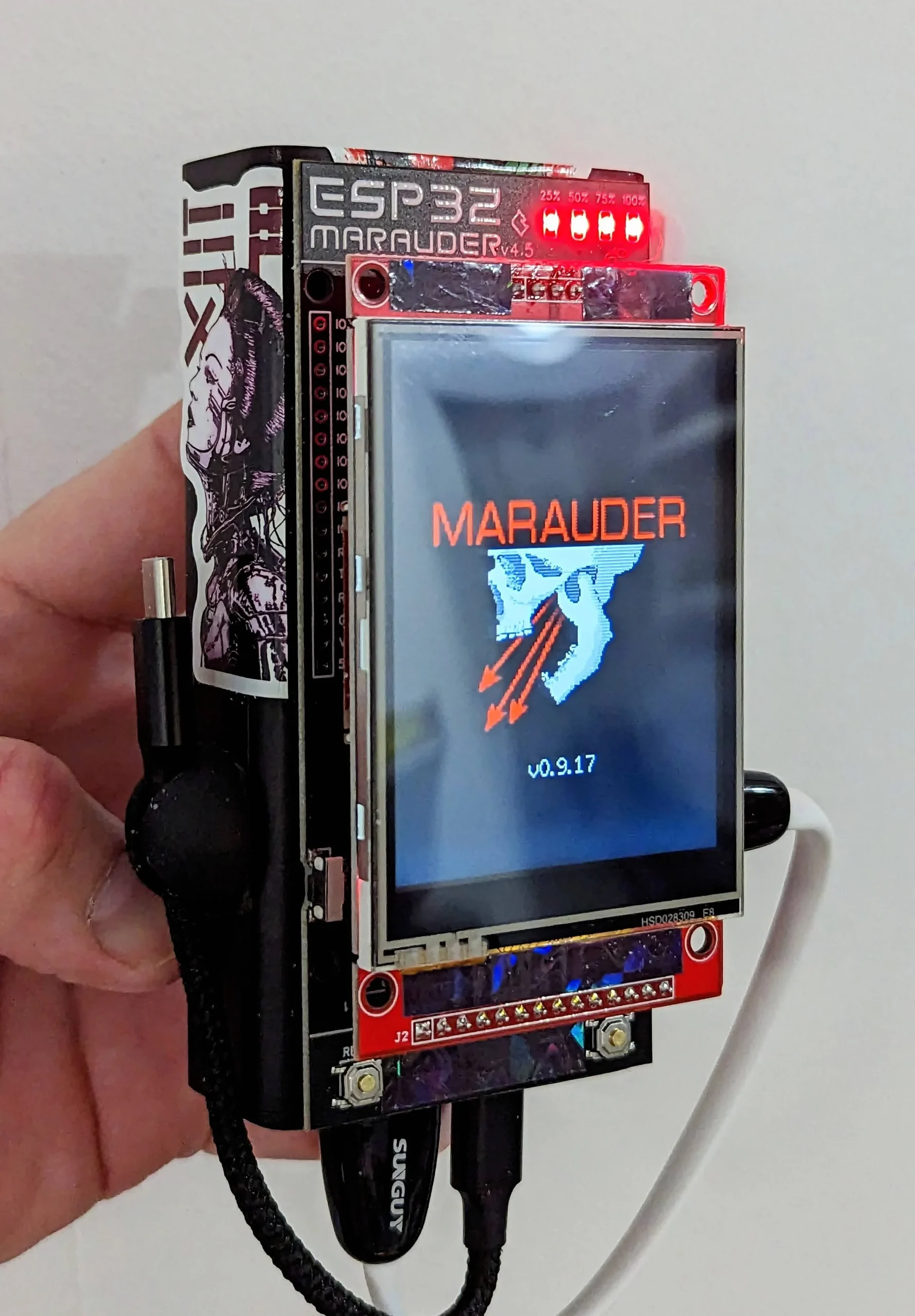
UPDATE: justcallmekoko has launched a new iteration of the Marauder (v6) for $60, which includes a sleeker look, options for external antennas, and the ability to update its firmware over Wi-Fi and/or SD card.

The original article continues below.
Penetration testers and security analysts looking for an easily-pocketable tool for Bluetooth and Wi-Fi testing purposes have another option, in the form of the ESP32 Marauder from security tester justcallmekoko.
“The Marauder is a portable penetration testing tool created for Wi-Fi and Bluetooth analysis,” the pseudonymous justcallmekoko explains. “It comes installed with a suite of offensive and defensive tools all running on an ESP32. I was inspired to create this tool by Spacehuhn’s deauther project. I wanted to bring similar functionality to the ESP32 and introduce new Bluetooth capabilities to the tool.”
“The tool itself serves as a portable device used to test and analyze Wi-Fi and Bluetooth devices. Use this tool and its firmware with caution as the use of some of its capabilities without explicit consent from the target owner is unlawful in most countries.”
The firmware justcallmekoko has created is compatible with any ESP32-based development board, and designed to provide feedback via a 2.8″ ILI9341-based TFT touchscreen display. The pre-assembled versions take the firmware and install it onto a custom PCB with Espressif ESP32-WROOM chip at its heart and an integrated lithium-polymer charging circuit for power on the go.
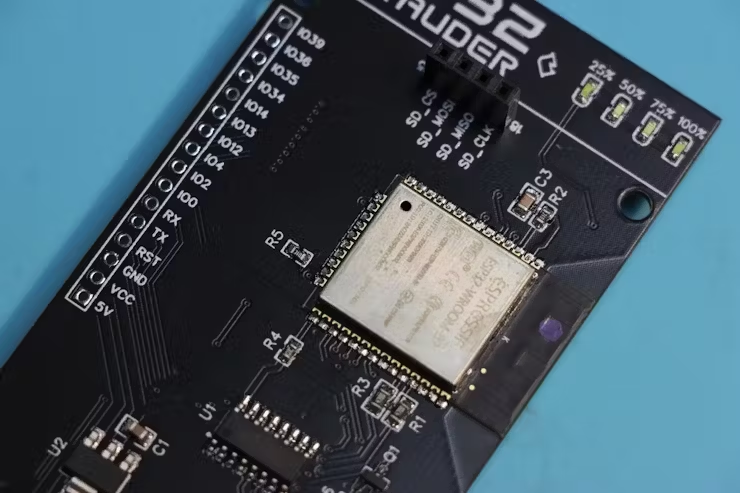
The entire unit is then enclosed in a 3D-printed chassis, which in the case of the pre-assembled version comes in a selection of colors: black, “Galaxy Black,” neon green, and silver. Justcallmekoko warns, however, that “most of the work so far has been put into designing the hardware,” meaning that the current release has “limited firmware capabilities” — but that development is ongoing to add new features and functionality.
More details on the project can be found on GitHub, where the firmware, hardware, and 3D print files can be downloaded; the pre-assembled ESP32 Marauder, meanwhile, can be purchased from Tindie. source
ESP32 Marauder Kit Assembly and Programming Guide
Thank you for purchasing the ESP32 Marauder Kit! Let’s get started with assembling and programming your device.
Things You’ll Need
- A computer with Google Chrome
- A 3 mm Allen Wrench
- An ESP32 Marauder Kit
Programming the Device
-
- First lets program the device as the buttons are not accessible while assembled. Go to :
Marauder Online Flasher (https://flasher.biscuitshop.us) - Hold the BOOT button (bottom one) on the back of the Marauder while plugging it into your computer. The screen should stay black if done correctly.
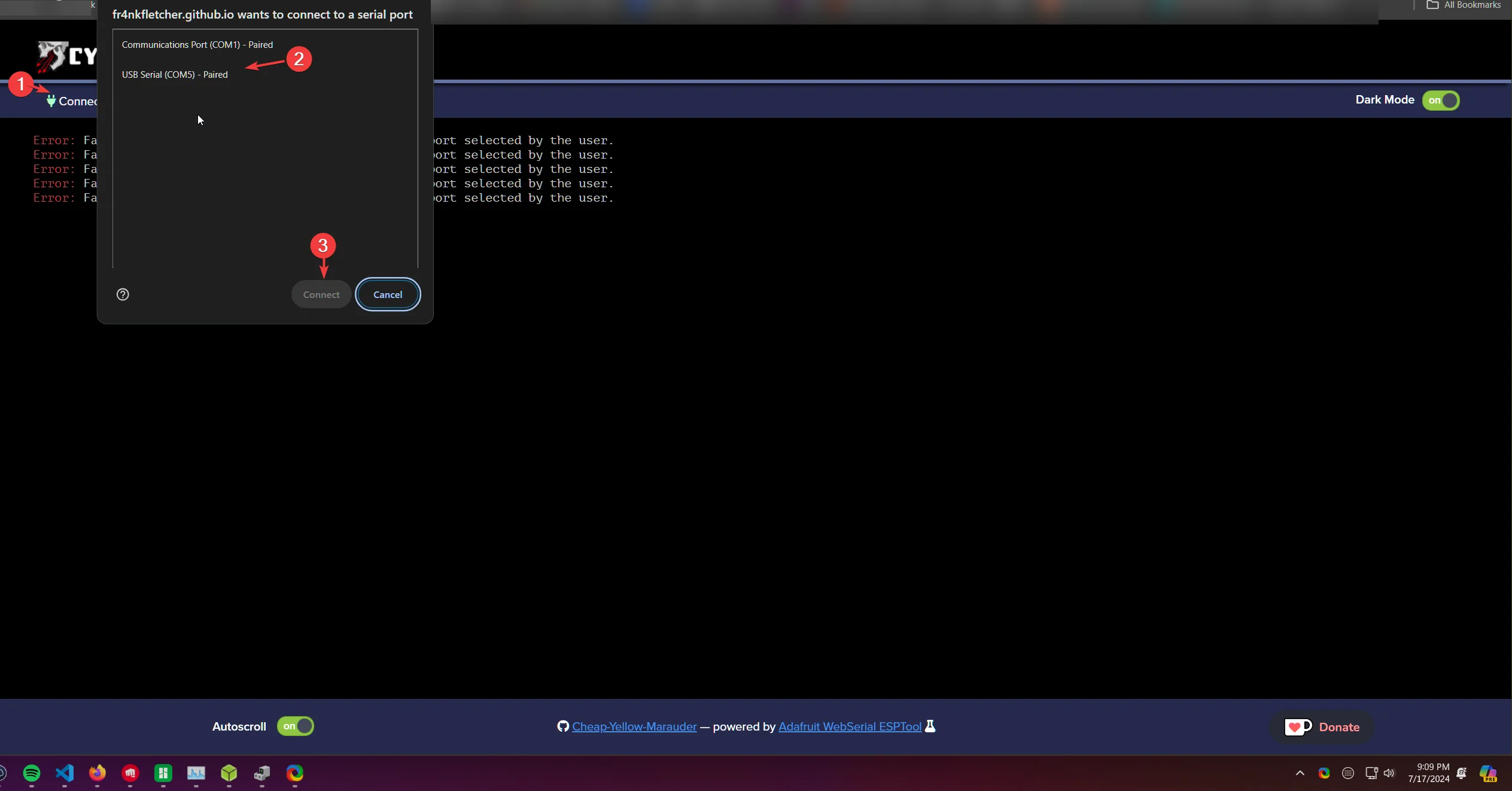
- Click the connect button on the website and select the COM port associated with your device. If you have multiple COM ports, unplug the device, see which port disappears, then repeat step two and connect to the correct port.
- First lets program the device as the buttons are not accessible while assembled. Go to :

-
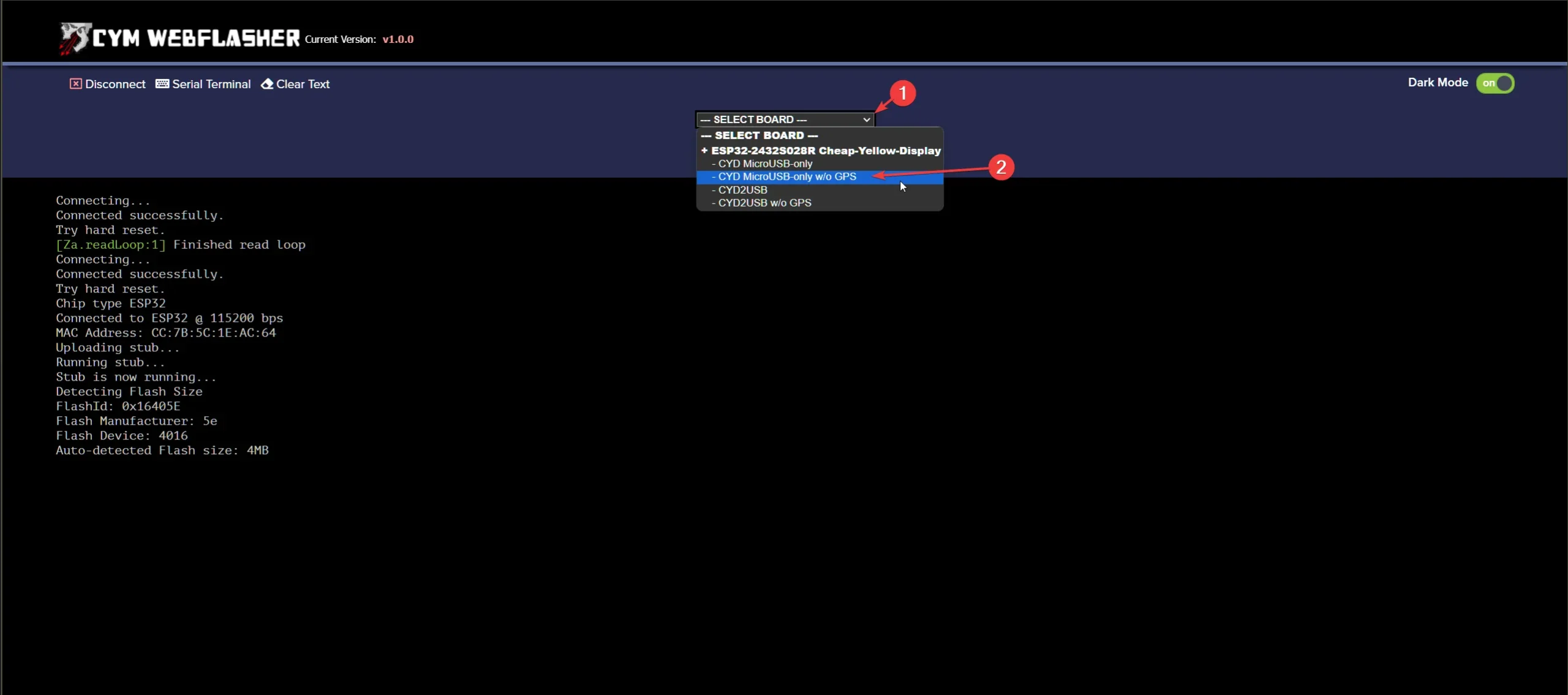
- Click the dropdown menu and select CYD2USB w/o GPS. Do not choose the one shown in the pic (Unless you purchased from me early on and your device does not have USB-C), I have started using the new models for all orders going forward.
-
- Click the latest version 2.8 inch – (1.0.0) and click the program button. Allow it to finish without switching windows.
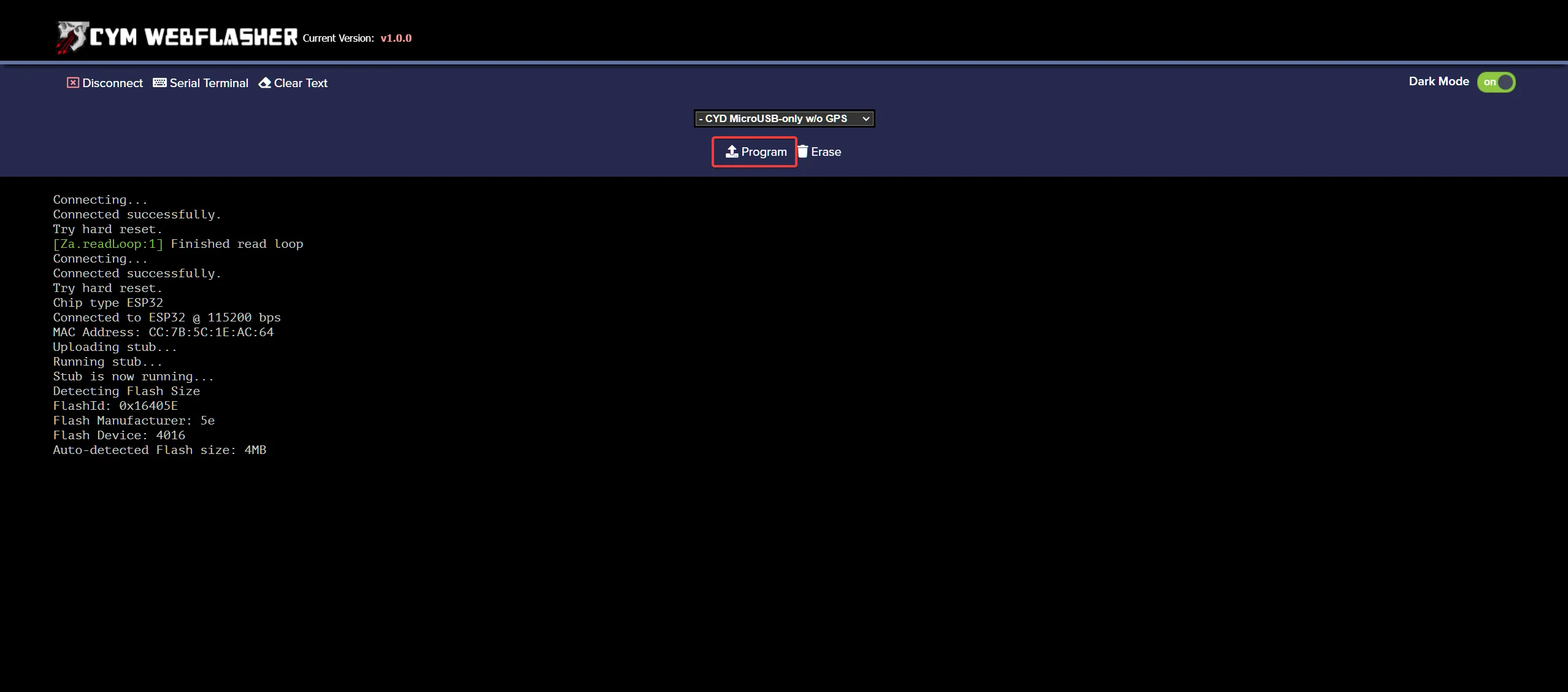
- Once programming is complete, the display will stay black. Power cycle the device, and it should boot into the Marauder firmware.
This same process can be used to update your device as new releases come out. As of July 15, 2024, Version 1.0.0 has just been released.
Assembling the Device
- Take the bottom part of the case and place the ESP32 Marauder PCB into it.
- Install the top cover and use the 4 provided screws to fasten it to the bottom half.